Paste the WOD. Get the clock.
RigClock is a workout timer for EMOM, AMRAP, For Time and Tabata, with digits you can read from across the gym. Free on iPhone and Android.
Change the text and the clock follows. Times run for real.
EMOMEvery 1:00 × 10
WORK
00:47
ROUND 8 / 10
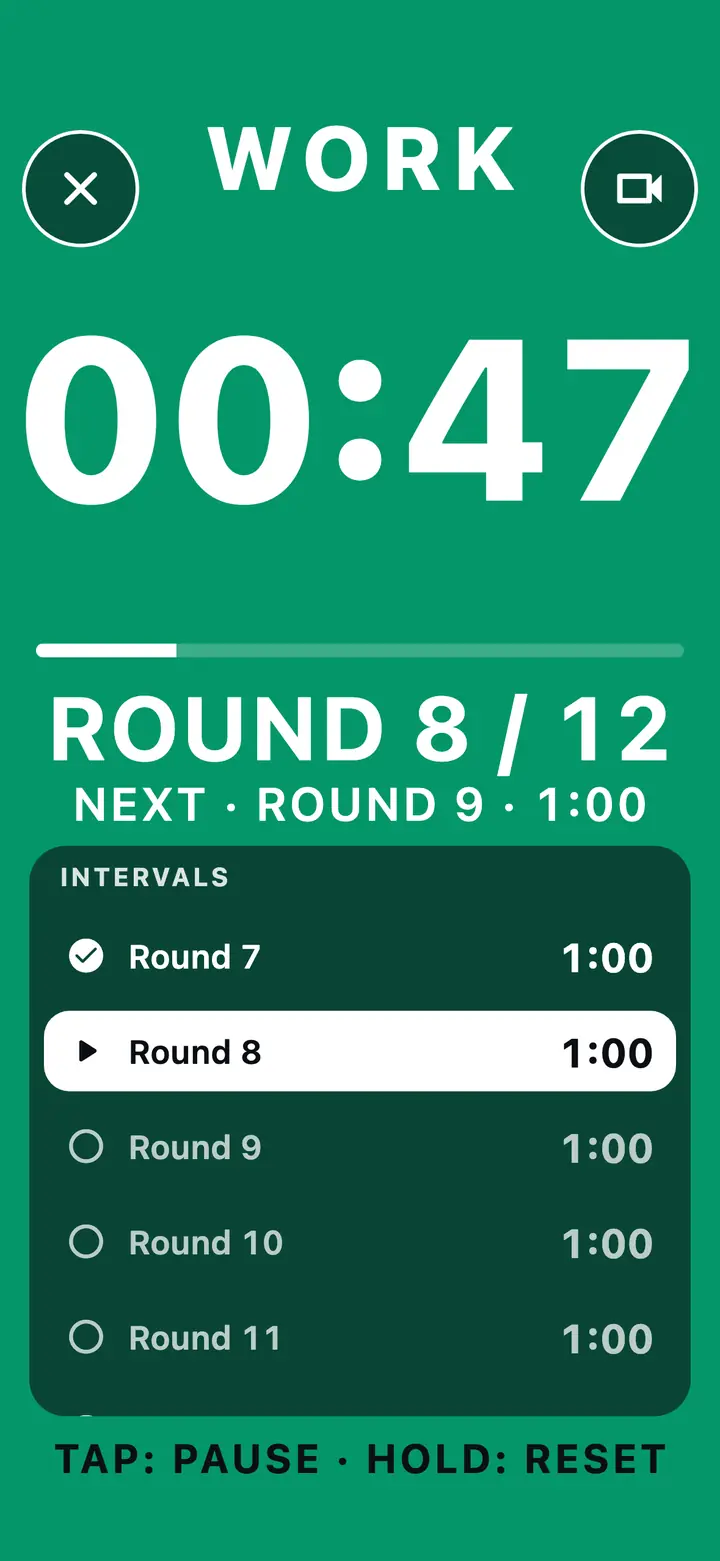
Read it from across the gym
Huge digits, high contrast, and buttons you can hit with chalky hands. The whole screen takes the colour of the phase: green for work, amber for get ready, red for rest. You know where you are without reading.
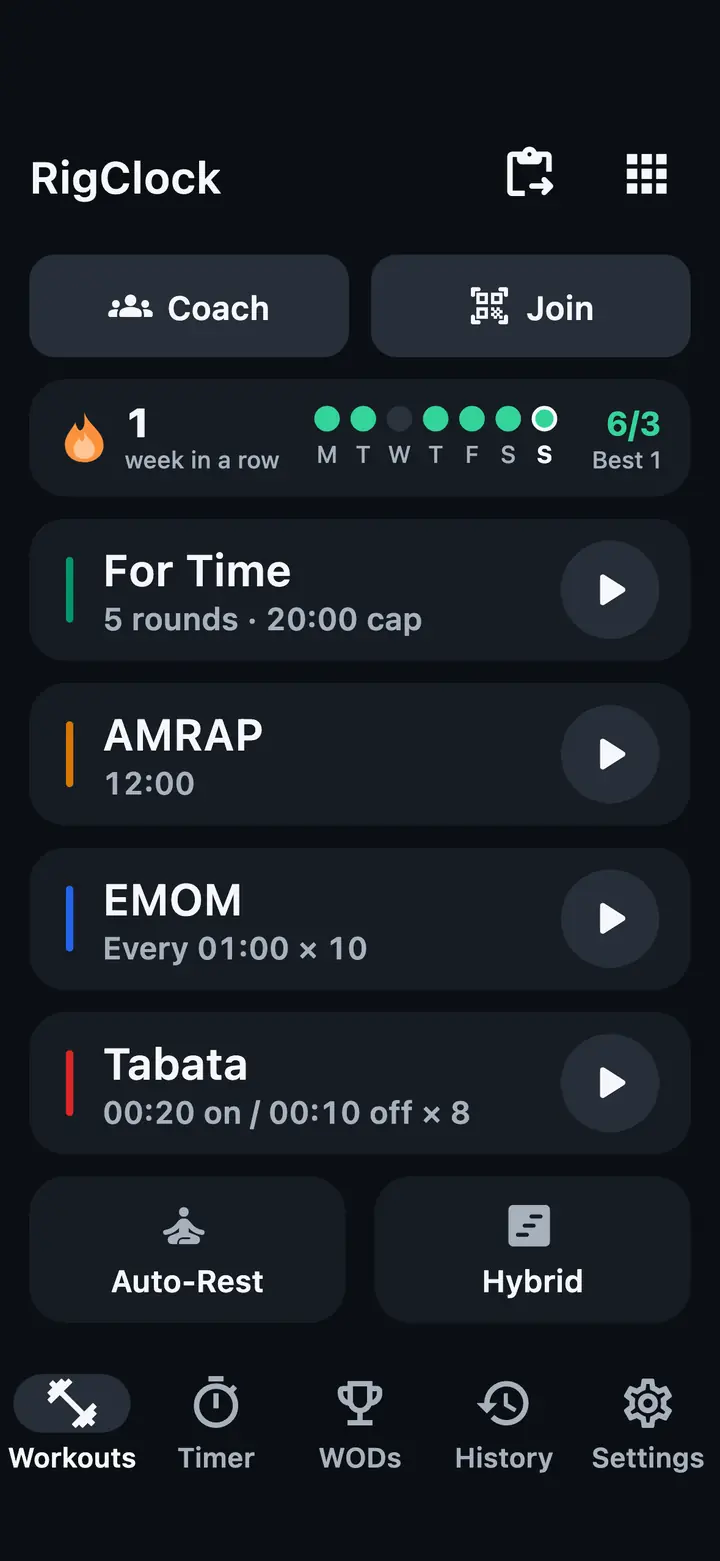
- For TimeCounts up to your time cap, with a split for every round.
- AMRAPCounts down. One tap per round, so the count is never lost.
- EMOMA new round every minute, or every two. Beeps 3, 2, 1 before each.
- Tabata20 seconds on, 10 off, 8 rounds. Or set your own.
The timer builds itself.
Copy the workout from the group chat, your gym's app or your coach's post. RigClock reads the format, rounds, reps and time cap, shows you what it found, and the clock is ready.
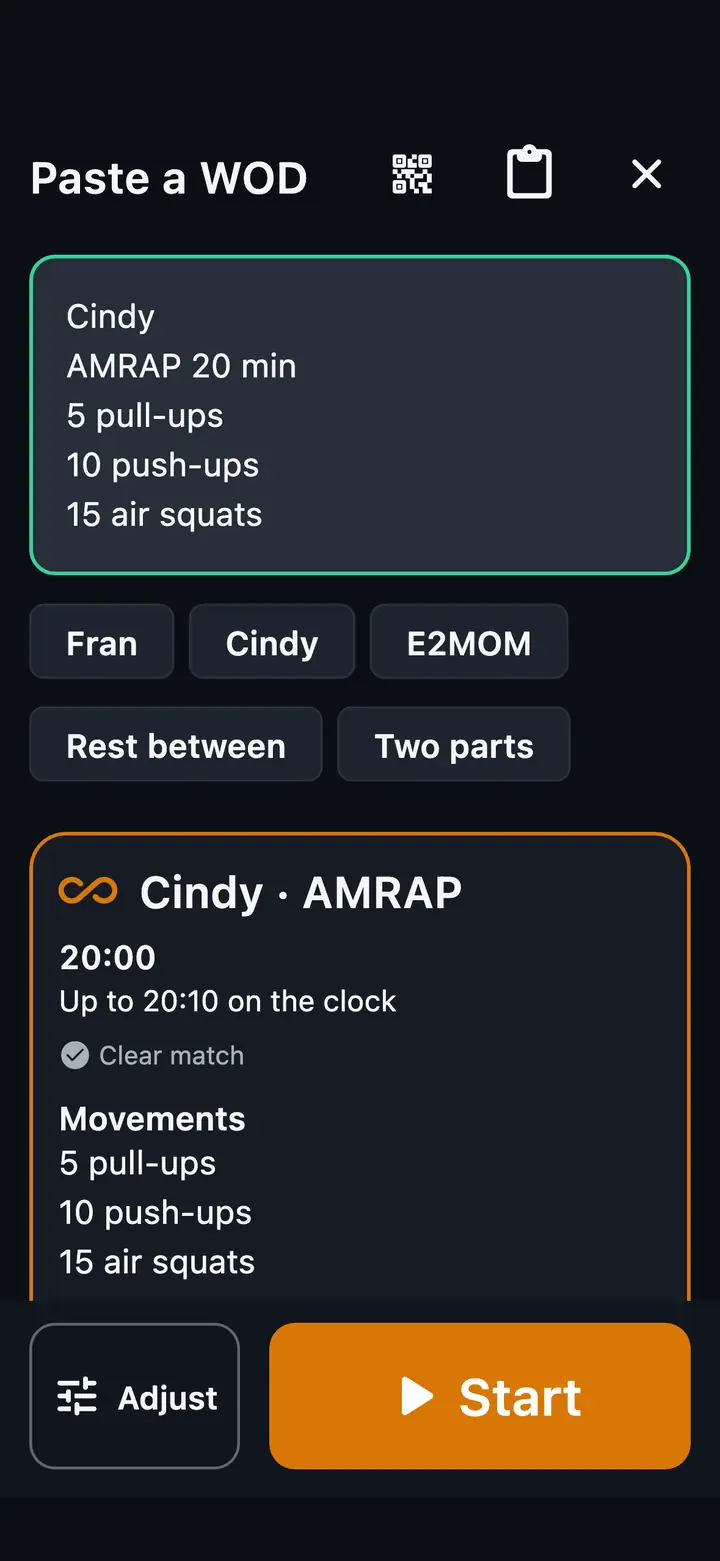
 RigClockPaste a WOD
You paste
RigClock reads
You choose
On the clock3, 2, 1, go
Everything on the clock
The timer stays free. Pro unlocks the tools for serious athletes and coaches.
Timers
Plus a plain stopwatch and countdown.
Run the workout again after a rest, as many sets as you like.
Round counter and a split time for each round.
3, 2, 1 before the start and before every new round.
"One minute", "halfway" and the count. Recorded in Azerbaijani; the other languages use your phone's voice.
Volume keys, headphone buttons or a Bluetooth clicker. The screen stays awake.
Workouts and PRs
Ready to start in one tap.
Log every result and see each PR.
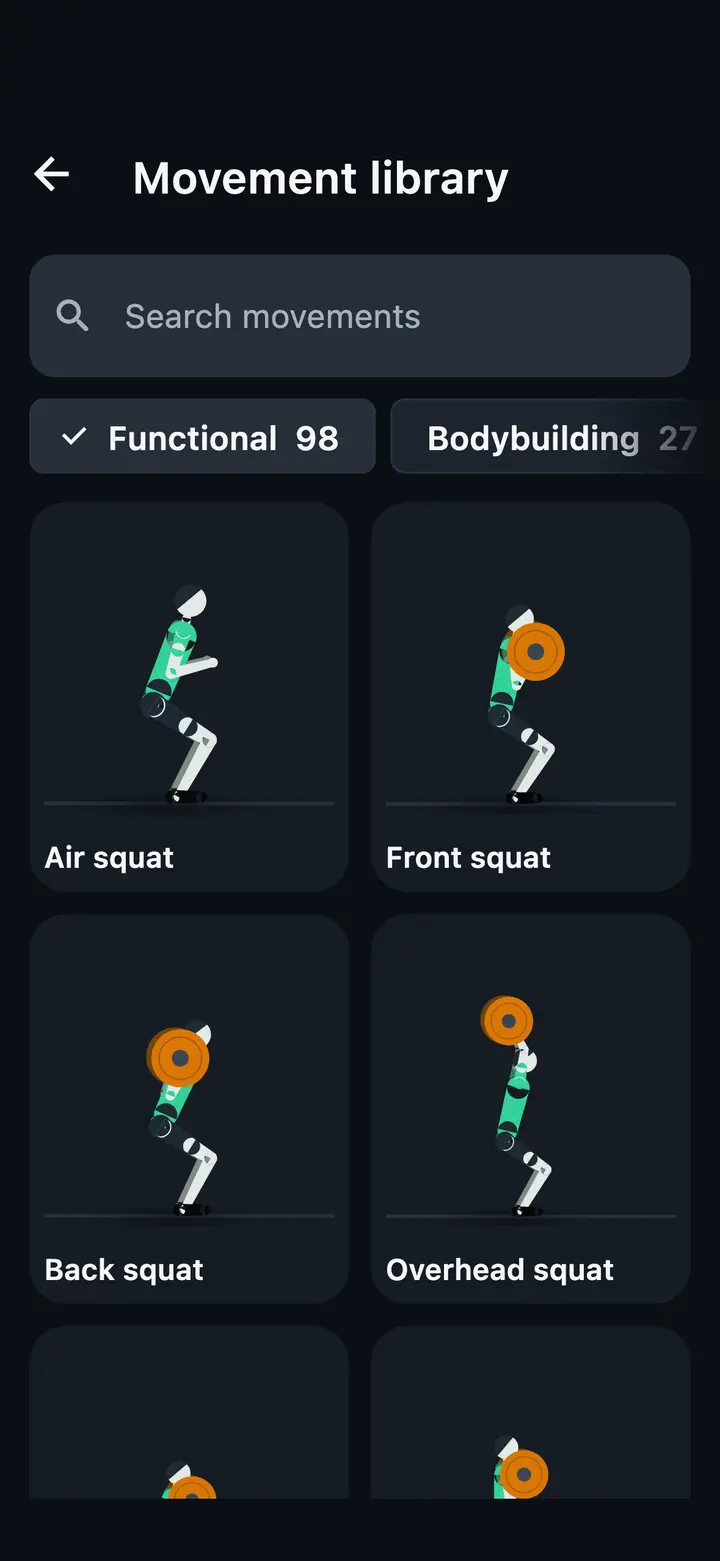
Search a movement and see how it moves.
Lift records, plate calculator, strength plans and tempo work.
Up to 1,000 workouts and progress charts with Pro.
Wrist and health
See and control the timer from your wrist.
Live from a Bluetooth strap or your watch, with zones.
Save finished workouts with their heart rate.
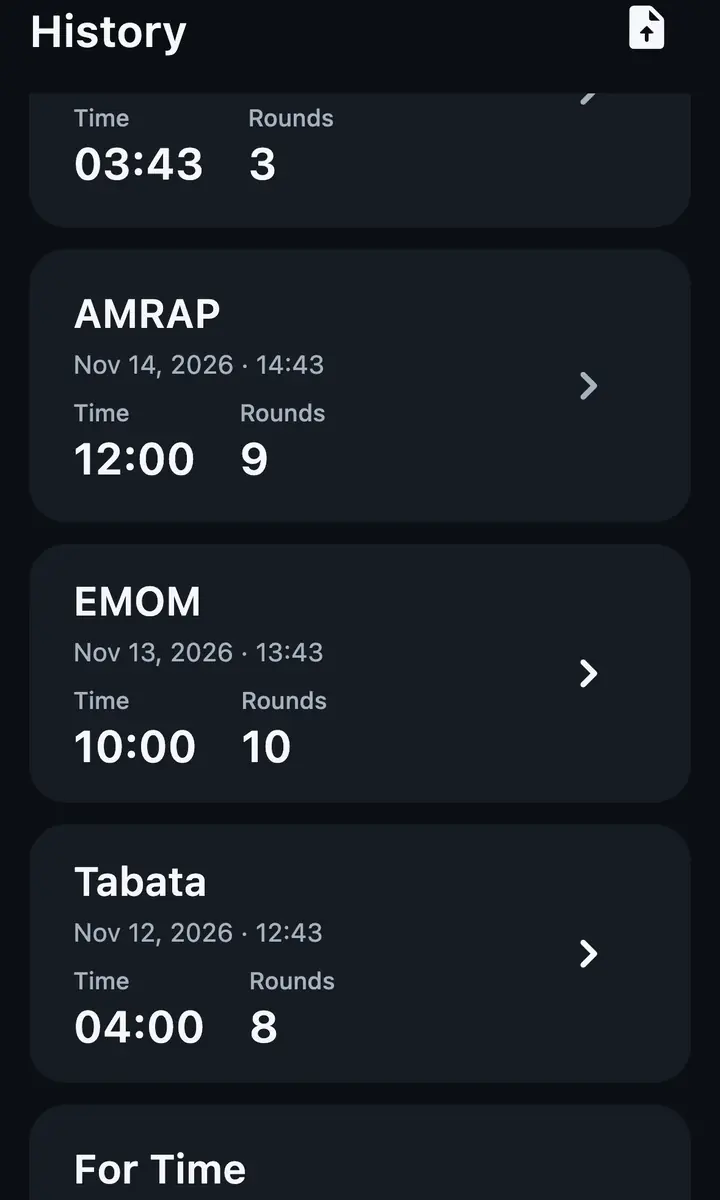
Stop counting rounds
Tap once per round and RigClock keeps the count. On an EMOM it beeps 3, 2, 1 before every minute, and with Pro it says the count out loud.
From coach to student
Build the lesson, plan the week, send it. Your students open it in RigClock and press start.
-
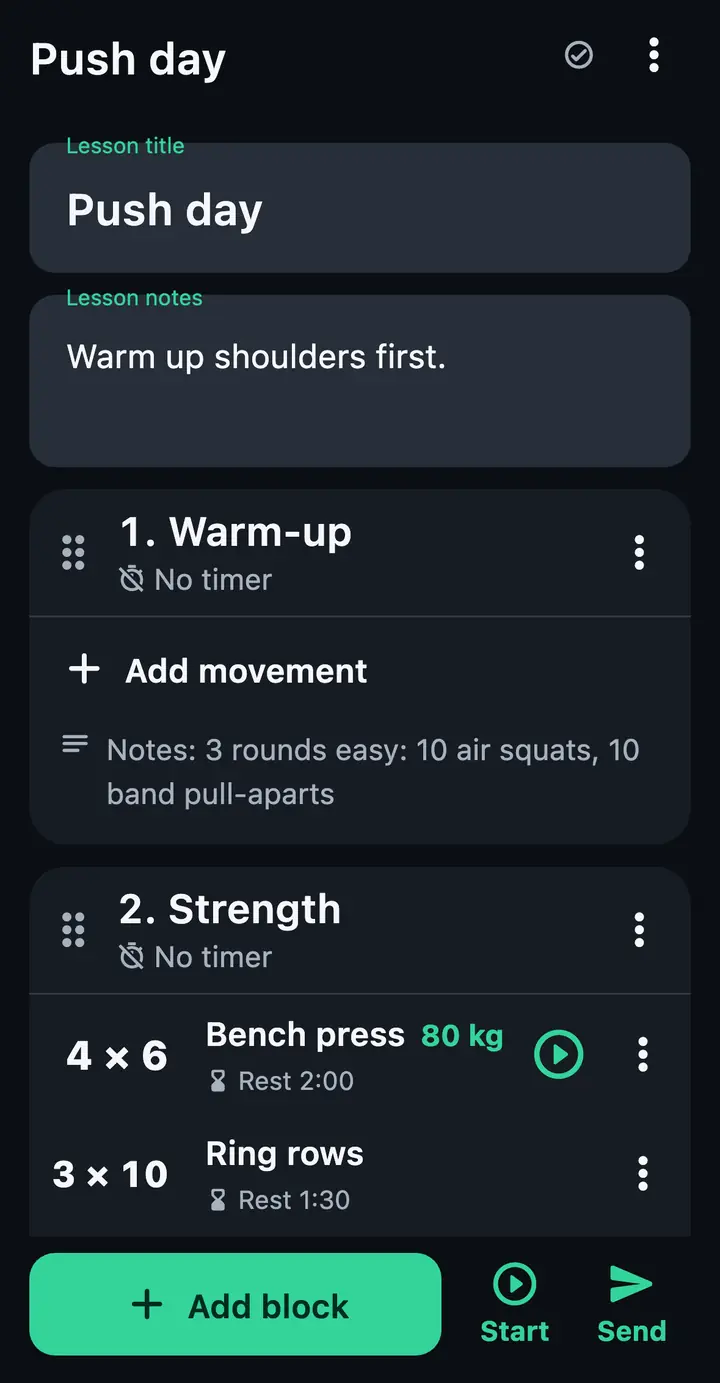
Build a lesson
Warm-up, strength and WOD blocks. Sets, reps, load and rest for each movement.
-
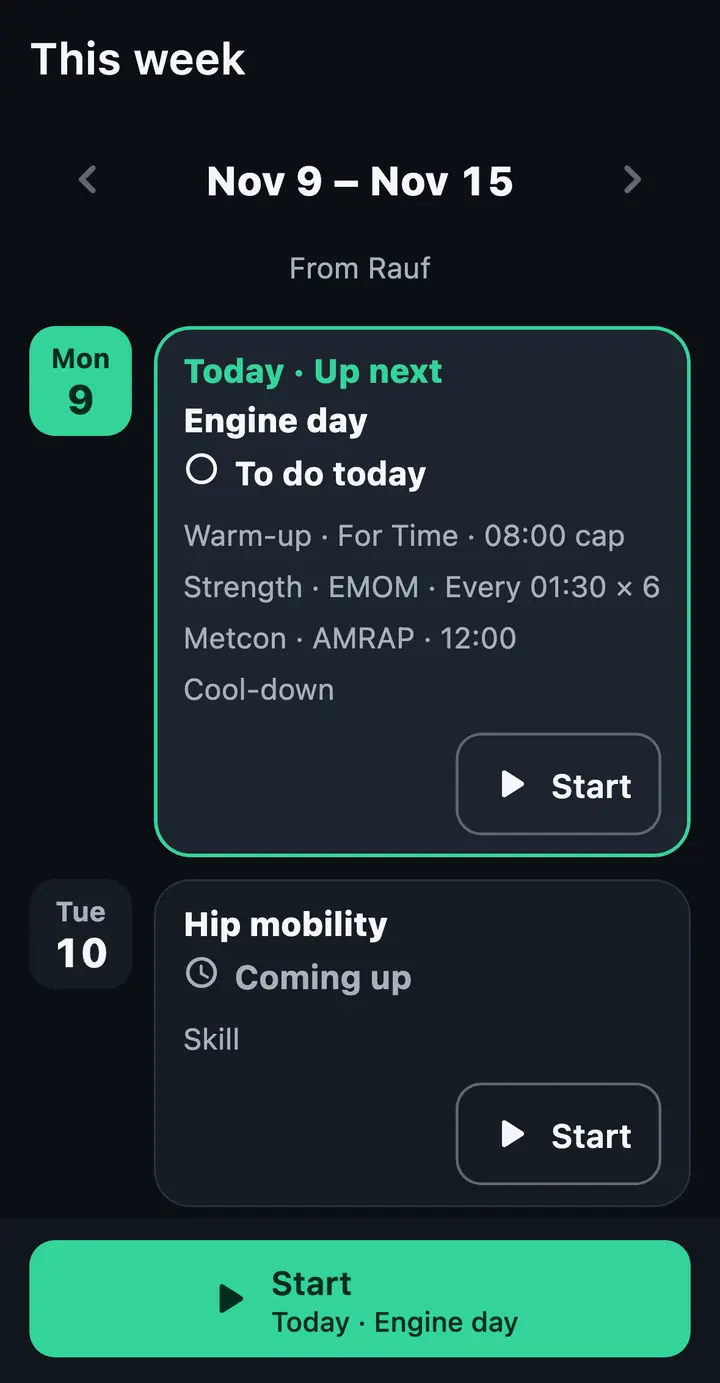
Plan the week
Lay lessons out across the days. Students see their week, with today marked.
-
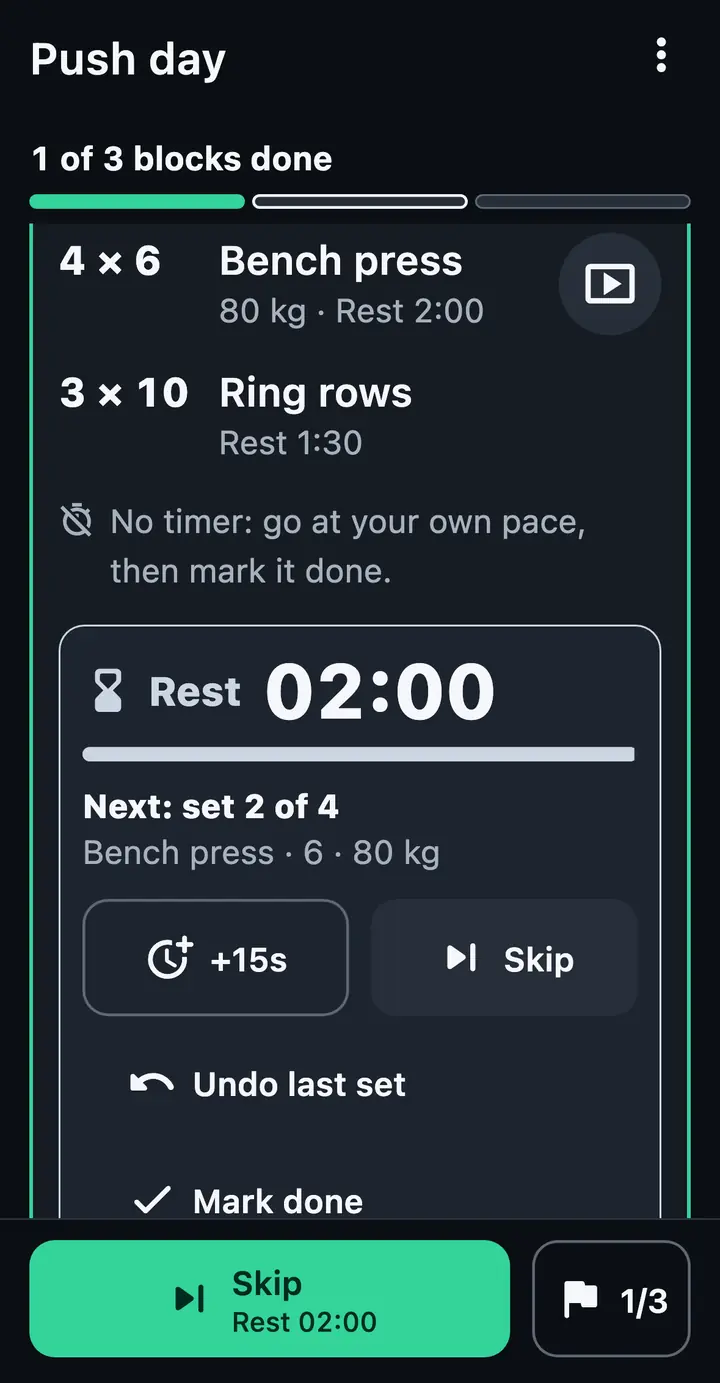
They press start
The lesson runs block by block, with the rest clock between sets.
-
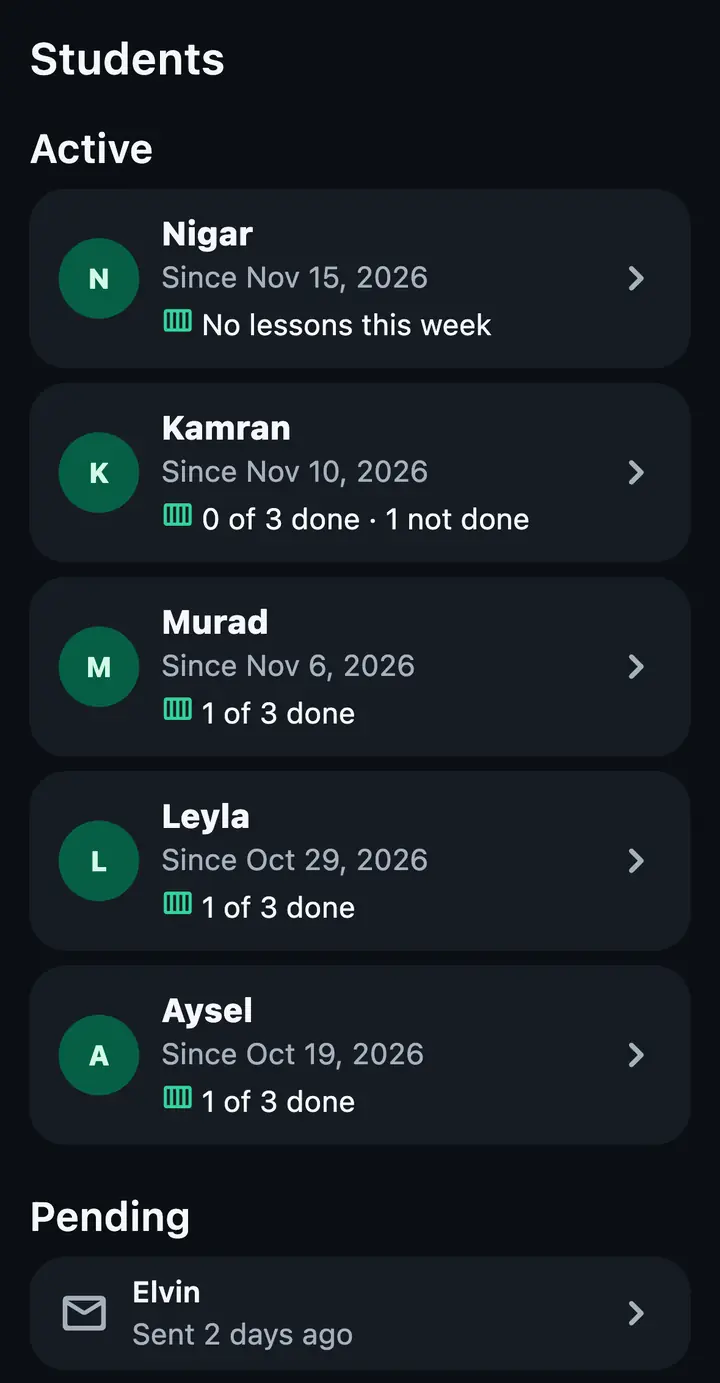
See who trained
Your students and their week at a glance, with pending invites.
Room for your whole class
Invite students with a code or a link. Coach and students sign in with an email code; the timer itself never needs an account.
Students
- Invitecode or linkOpen invites count toward your places.
- Lessons and week planssent to the appReminders so nobody forgets.
- Free plan5 students
- Pro subscription30 students
- Pro lifetime50 students
On the gym floor
- HeatslanesStaggered starts, lane by lane.
- Judge modeper laneCount reps and sign off the score.
- Classes and stationsliveWith a live leaderboard.
- Gym TVfreeA giant timer on the TV over AirPlay, HDMI or cast. Your box name and the WOD beside it with Pro.
Heats, judge mode, classes and stations are part of Pro.
Before your first WOD
PriceIs RigClock free?
Yes. The timers with their beeps, the workout library, the PR log and the gym TV are free.
Pro is optional. It adds the spoken countdown and coach calls, Auto-Rest, the Hybrid builder, saved workouts, coach tools, heart rate and Health export, hands-free control, sound packs, a history of up to 1,000 workouts, progress charts and cloud backup. The App Store and Google Play show the price for your country.
AccountDo I need an account?
No. RigClock works fully offline without an account. An email is only used for the optional cloud backup and for lessons between coach and student.
No ads, no tracking.
EMOMWhat is an EMOM?
Every minute on the minute. Do the reps when the minute starts, rest for what is left, and go again on the beep.
This clip walks you through your first one.
Hands-freeCan I use it without touching the screen?
Yes, with Pro: volume keys, headphone buttons or a Bluetooth clicker. The screen stays awake while the clock runs.
Your dataHow do I delete my data?
Delete your account in the app, or follow the steps on the account deletion page. Without an account, everything lives on your phone.
LanguagesWhich languages does it speak?
The app is in English, Azerbaijani, Russian, German and Spanish. The spoken countdown (Pro) is recorded in Azerbaijani; in the other languages it uses your phone's voice.
Get it on App Store or Google Play.
Free to download. Pro is optional.